Posts

Showing posts with the label Tools

Tools - Bibliography in MS Word
Image
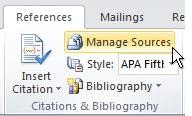
Creating a Portable Bibliography MS Word Bibliography Every time you use the Bibliography Tool in MS Word, your sources are stored in 2 places: the Citation List embedded in your paper, and the Master List stored on the computer you are working on. If you use the same computer (and it stores files from session to session) you will see ALL the citations you've used in your Master List, and will be able to reuse them in other papers.  If you change computers, or use a computer in a lab that wipes out an individual user's files after each login, you will only have the Citation List available (i.e. only the sources you used in your original document.) https://blogs.office.com/en-us/2010/09/29/move-bibliography-sources/ Here is how to create a portable copy of the Master List.  When you’re in Word, click the  References  tab, and then click  Manage Sources  (it’s in the  Citations & Bibliography  group). Click Manage ...

Tools - Feedly Blogs

Image
Feedly - Follow Thought Leaders I use Feedly (Feedly:  https://feedly.com )  to follow ~100 blogs (RSS feeds) including these blogs specific to Education. They are not listed in any order, and some are a bit "commercial", but I've collected notes and ideas from all of them. You can add them to your bookmarks, but Feedly runs a continuous stream of ideas, allowing you to skim over the headlines, then deep dive into the details. The habit of visiting 100 URLs is a bit too difficult.  I would appreciate your feedback and comments to improve my list of one-person or small team blogs...  especially those writing about the US Education environment by K-12 teachers, librarians, and administrators.   Personal or Small Team Blogs Class Tech Tips -   Dr. Monica Burns -   https://classtechtips.com/ Confessions of a Community College Dean - http://suburbdad.blogspot.com/ CURMUDGUCATION - Peter Greene - http://curmudgucation....

Tools - Feedly

Image
Feedly - Follow Thought Leaders (and avoid the noise). Feedly  is  blog and new aggregator application. Users can create categories to track topics of interest without the noise of click-bait and intrusive advertisements. The free version allows you to follow 100 sources. Choose wisely and you will never run out of actionable content.  Feedly runs as an extension, or web page in nearly every browser. It is also available as an app in the Google Play Store (Feedly for Android) and the Apple iStore ( Feedly iStore ). It is not available on Kindle Fire devices. See our References page for a long list of content sources.  Sample Feedly Feed Click for larger image.